Desktop pets, explained
What Is a Desktop Pet?
A small animal that lives on your screen while you work. It walks, naps, watches your cursor and keeps you company, without getting in the way.

The idea
A desktop pet is a companion that lives on your computer screen. It isn't a game you open and close. It sits on top of everything else, on your actual desktop, and goes about its day while you go about yours.
Most walk along the bottom of the screen. Many climb onto windows or sit on the edge of one. Some react when you move the mouse near them, and most fall asleep if you leave. You can pick them up, move them, or ignore them entirely.
The appeal is simple. Work on a computer can be long and quiet, and a small animal moving at the edge of your vision makes the screen feel a little less empty. It's the same reason people like a cat asleep on the desk, without the cat walking across the keyboard.
From Shimeji to 3D
Desktop pets have been around for a long time. One of the first was Neko, a small cat that chased the cursor around the screen in the late 1980s. In the mid-1990s came eSheep, a sheep that wandered across Windows desktops.
Then came Shimeji, from Japan, around 2009. A shimeji is a tiny sprite character that climbs windows, sits on the taskbar and multiplies. The name is Japanese for a kind of mushroom, because they pop up everywhere. The program is free and open, so fans drew their own characters for it, from anime heroes to original creations, and thousands now exist. Shimeji-ee, the best known version, runs on Windows with Java; on a Mac, free runners like Shijima bring the same characters across.
More recently, native Mac apps have added their own pixel cats and dogs, some in the Dock, some in the menu bar. And now there are 3D desktop pets, which is where we come in: staywith.pet rebuilds your own cat or dog in 3D from photos. Not a sprite of a cat. Your cat. If you're coming from pixel pets, the Shimeji alternative page compares the two honestly.
For a fair rundown of what's out there today, including free options, see the best desktop pets in 2026.
What they do all day
It depends on the pet, but a good one has a small routine. Here's what ours does, as an example.
- Walks. Along the bottom of the screen and the Dock, and now and then off to explore.
- Naps. It jumps onto the top edge of a window when there's room, and settles there.
- Watches. It turns to follow your cursor as it moves.
- Reacts. Call it and it comes over. Scroll over it and it leans into the petting. Pick it up and it lands on its feet.
- Rests. It sits, lies down, grooms and stretches.
- Sleeps. After about five minutes without you, it curls up until you're back.
Ours has 25 animations, with optional sounds. You can read more about how it behaves on a Mac on the desktop pet for Mac page.
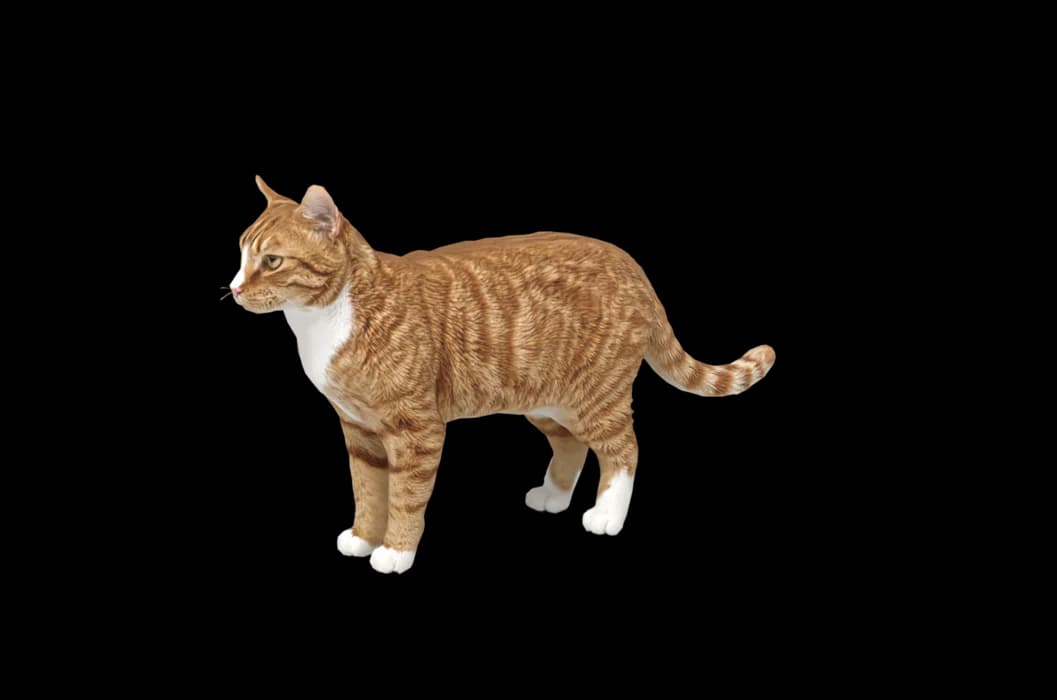
Standing
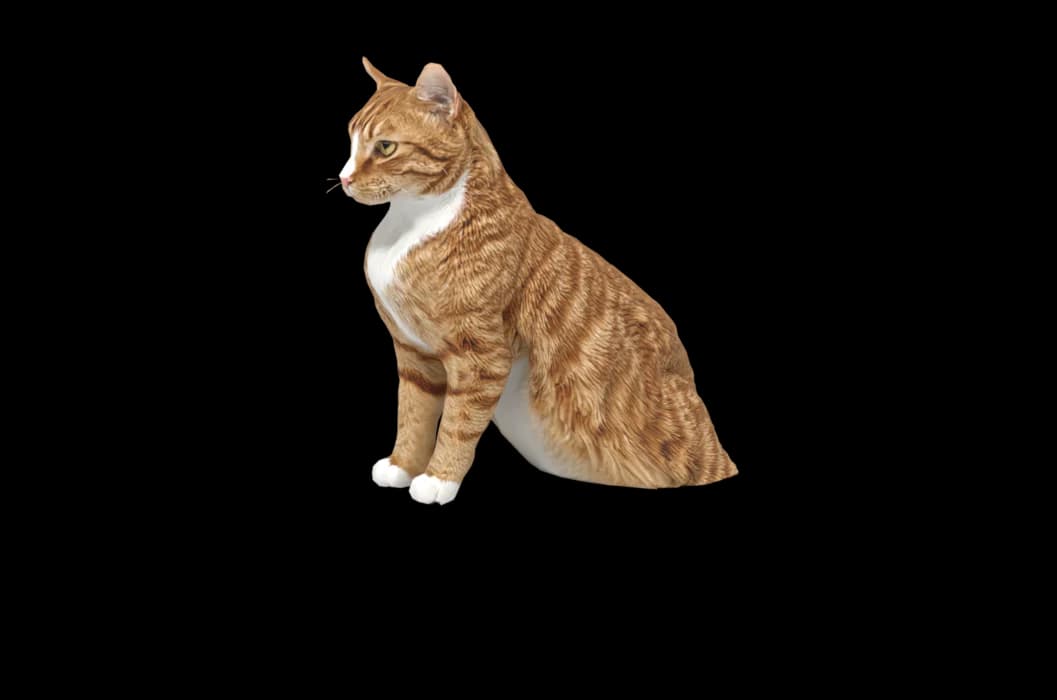
Sitting

Lying down
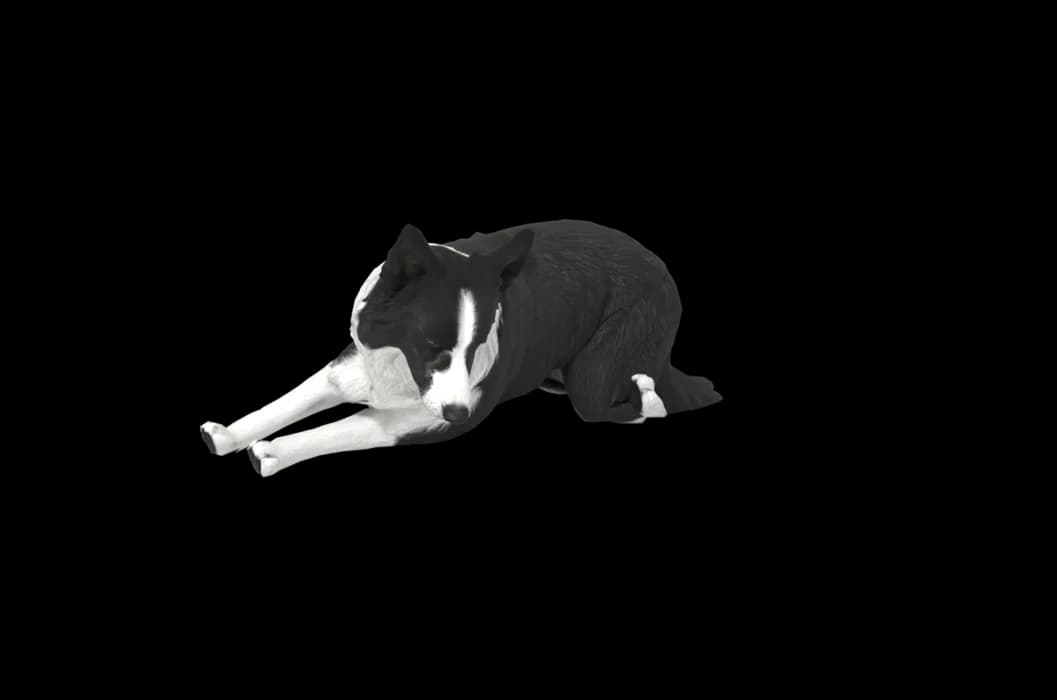
Asleep
Are they distracting?
A badly made one can be. A pet that blocks your clicks, jumps in front of your work, or makes your fans spin is not one you keep for long. A good desktop pet is designed to be ignored most of the time.
Ours tries hard to stay out of the way. Clicks pass straight through it to the window underneath. It never steals focus from the app you're typing in. When you step away it sleeps, and when you're on battery it slows down and naps more. If you need it gone for a meeting, hide it from the menu bar or with a keyboard shortcut, and there's a setting to keep it out of screen sharing.
If you're wondering about performance, privacy or what to look for before installing any desktop pet, our guide to whether desktop pets are safe covers it plainly.
Try one
The easiest way to know if you'd like a desktop pet is to have one for a day. There are free pixel pets for Mac and Windows, and they're a fine place to start.
If you have a cat or dog at home, you can see them as a desktop pet for free. Download the Mac app, add a few photos, and in about 5 to 8 minutes they're there in 3D. If you like them, it's $19 once to keep them, with no subscription. If not, you've lost nothing. It needs an Apple silicon Mac on macOS 14 or newer.
How it works
Step 1
Add photos
In the Mac app, add a few photos of your cat or dog. A side view and a face are enough to start.
Step 2
See them in 3D, free
In under ten minutes you can turn them around and compare them with your photos. Nothing to pay yet.
Step 3
They move in
Keep them for a one-time price and they live on your desktop: walking the Dock, napping on your windows.
Pricing
Free
See your own pet in 3D before you pay anything.
$19 once
Keep them. No subscription. Up to 3 of your Macs, 2 free regenerations, every behaviour we add later.
14-day money back
If it doesn't look like your pet, you get your money back. No questions asked.
Another pet is $9. All pricing
Questions
What does desktop pet mean?
A desktop pet is a small animated animal or character that lives on your computer screen. It walks along the bottom of the screen, sits on windows, reacts to your cursor and sleeps when you're away, while you carry on working.
Is a desktop pet the same as a virtual pet?
They overlap. A virtual pet usually needs care, like feeding, and lives inside its own app or device. A desktop pet lives on your actual desktop, among your windows. Some desktop pets add feeding and care too.
What is a Shimeji?
Shimeji is a long-running desktop mascot program from Japan. Its small sprite characters climb windows and wander the screen, and fans have drawn thousands of characters for it. Shimeji-ee is the best known free version for Windows.
Can a desktop pet be my own cat or dog?
Yes, with staywith.pet. You add photos of your pet in the Mac app and see them in 3D free, usually in about 5 to 8 minutes. Keeping them is $19 once.
Do desktop pets use a lot of battery?
Light ones don't. Ours uses about 2.5% of the CPU while walking on Apple silicon, stops rendering when the screen is locked, and slows down and naps more on battery.
Meet them in 3D
Download the Mac app, add a few photos, and see your pet in 3D before you pay anything.
See your pet in 3D free