Cavoodle desktop pet
Your Cavoodle, in 3D, on Your Mac
A soft, curly coat, a sweet round face and long, fluffy ears.

Ready-made pet
No photos to hand? Meet our Cavoodle
Ours is an apricot Cavoodle, made by the same pipeline as every customer's pet. Choose it in the Mac app and it is on your desktop in seconds, free to try. Keep it for $19, once, give it any name you like, and it does everything a pet made from photos does.
These stills are rendered from its real 3D model, in the poses it uses on your desktop.
Walking
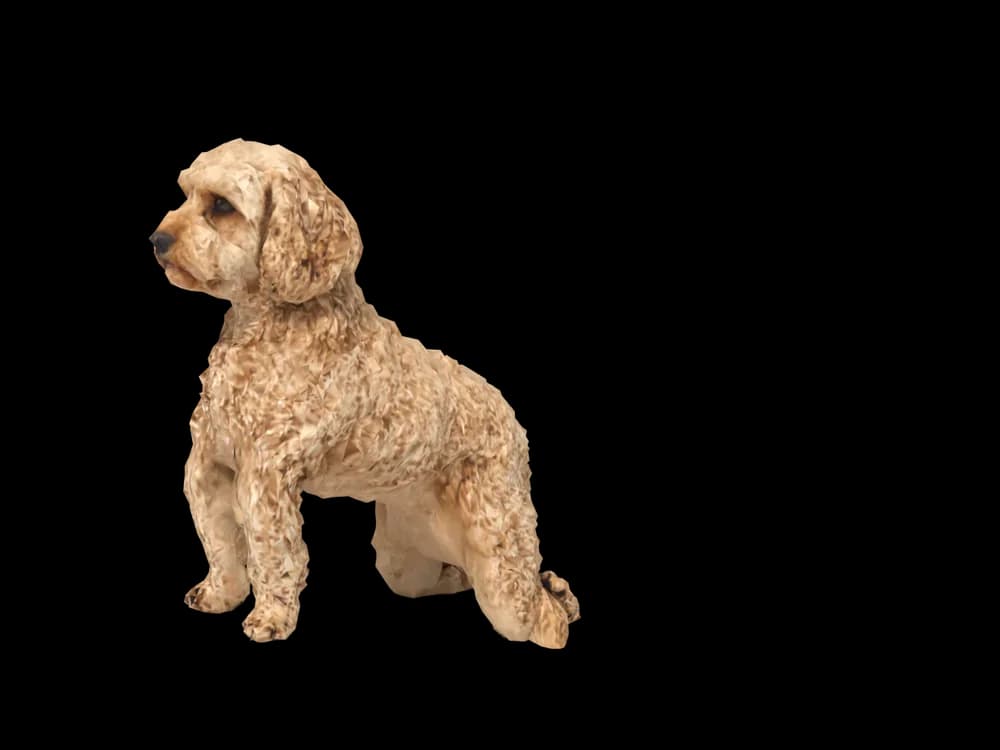
Sitting
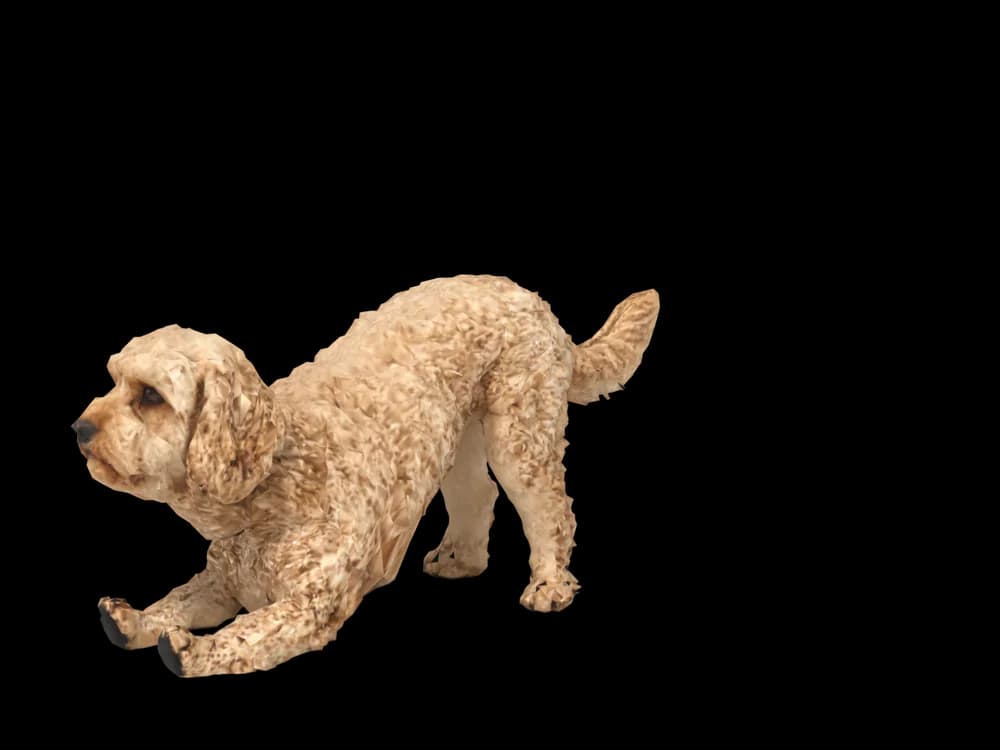
Stretching
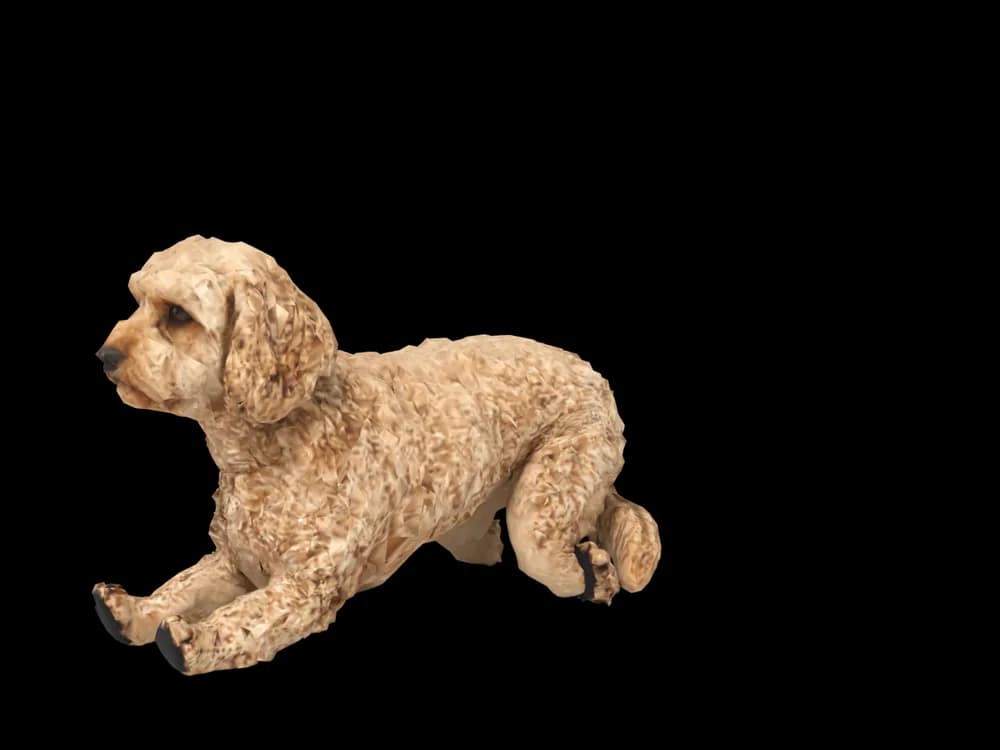
Lying down
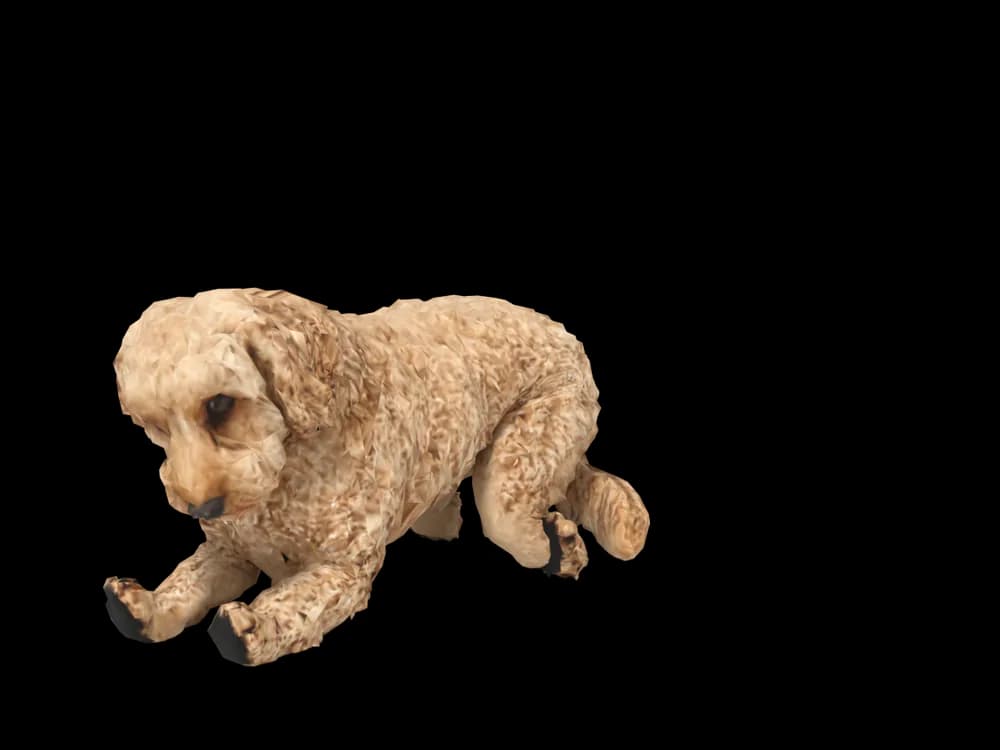
Sleeping
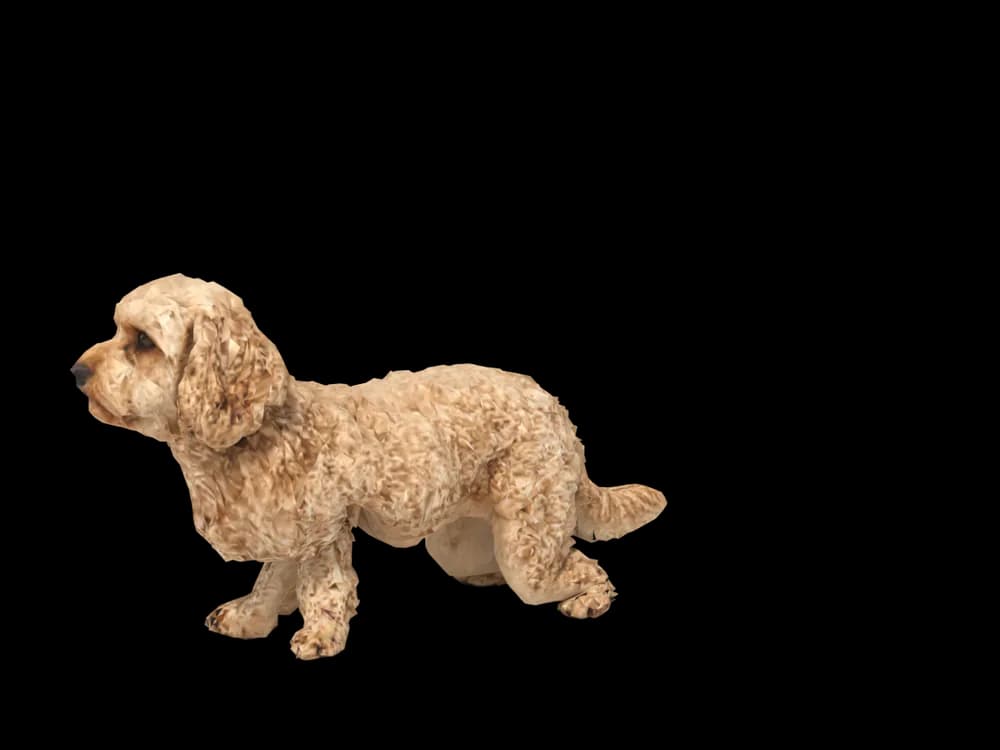
Looking around
In the app: Your pets, then Ready-made pets. Prefer your own dog? Add photos instead, the steps are below.
What makes a Cavoodle look like yours
A Cavoodle, or Cavapoo, mixes a Cavalier King Charles Spaniel with a Poodle, and every one comes out a little different. Most have a soft, curly or wavy coat, a rounded head, big dark eyes and long ears that disappear into the fluff.
Because no two look alike, a pet made from your own photos is the way to get yours: the coat colour, the curl and the grooming style all come from them. Our ready-made Cavoodle is apricot with soft curls, and it is ready as soon as you pick it.
Made for Cavoodle markings
Soft curls or waves
Tight curls, loose waves or something in between, taken from your photos.
A round, sweet face
Big dark eyes and a short muzzle, often with a teddy bear trim.
Fluffy ears
Long ears covered in the same soft coat. Their length depends on the grooming.
Apricot, red, cream or parti
Solid colours and patches, placed where your dog has them.
A plumed tail
Usually carried up and fluffy. Show it in at least one photo.
The best photos of your Cavoodle
Cavoodles change shape with every haircut, so take the photos when the coat is the length you like best. In soft daylight, photograph a side view standing so the legs are not hidden in fluff, and a face photo at eye level that shows the eyes through the fringe. Dark eyes in a curly face need good light to come through.
More on which photos work, for any cat or dog: how a custom desktop pet is made.
More breeds
Related breed guides: Goldendoodle, Poodle and Cocker Spaniel. For what your pet does all day, see the desktop pet for Mac.
How it works
Step 1
Add photos
In the Mac app, add a few photos of your cat or dog. A side view and a face are enough to start.
Step 2
See them in 3D, free
In under ten minutes you can turn them around and compare them with your photos. Nothing to pay yet.
Step 3
They move in
Keep them for a one-time price and they live on your desktop: walking the Dock, napping on your windows.
Pricing
Free
See your own pet in 3D before you pay anything.
$19 once
Keep them. No subscription. Up to 3 of your Macs, 2 free regenerations, every behaviour we add later.
14-day money back
If it doesn't look like your pet, you get your money back. No questions asked.
Another pet is $9. All pricing
Questions
Does it work for Cavoodle mixes?
Cavoodles are mixes already, and so are Cockapoos, Maltipoos and Groodles; each is built from its own photos.
What if my Cavoodle has unusual markings?
A white chest, parti patches or a darker face come from your photos.
Will the curls look right?
Coat texture and colour are read from your pictures. Check the preview, and use a free regeneration if the curl is off.
My Cavoodle has just been clipped. Should I wait?
Photograph the coat at the length you like best; the model copies whatever the photos show.
Could my Cavoodle be made as the puppy they were?
Use clear puppy pictures if you have them, all from the same few weeks.
Meet them in 3D
Download the Mac app, add a few photos, and see your pet in 3D before you pay anything.
See your pet in 3D free