Shiba Inu desktop pet
Your Shiba Inu, in 3D, on Your Mac
A fox face, a curled tail and the pale urajiro on the cheeks and chest.
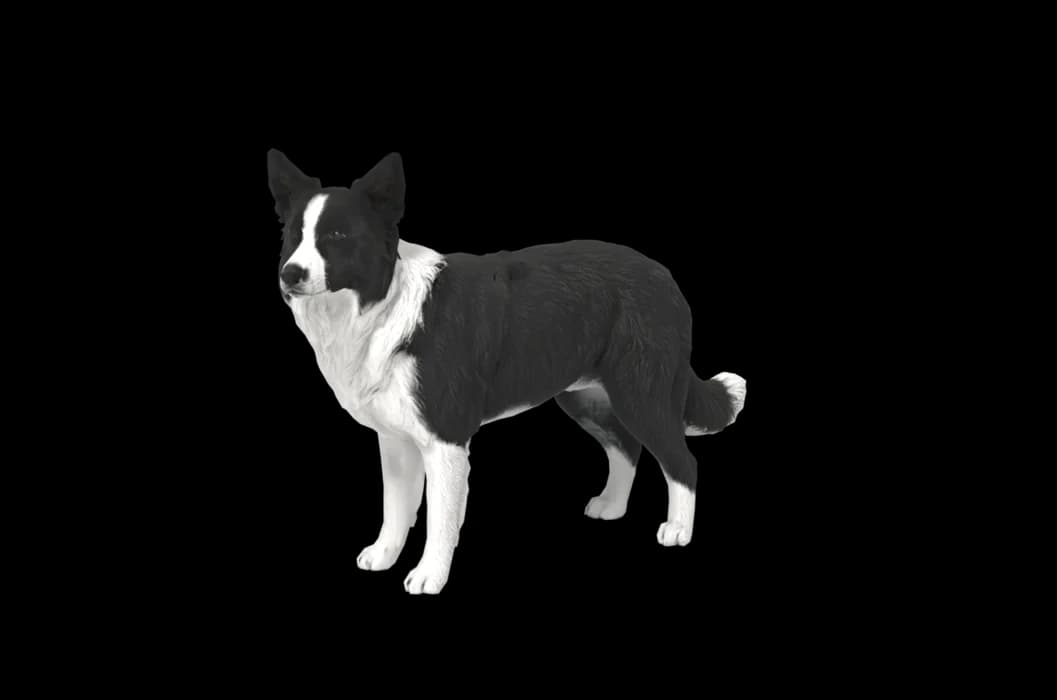
What makes a Shiba Inu look like yours
Shibas are small, neat and sharply drawn. The urajiro, the cream or white on the cheeks, throat, chest and inner legs, frames the face and gives it that fox look. Around it the coat is red, sesame, or black and tan.
The curled tail and small triangular ears finish the outline. Your Shiba is built from your photos, so the urajiro follows your dog's own lines and the sesame shading sits where it really is.
Made for Shiba Inu markings
Urajiro
The pale markings on the cheeks, chest and legs, placed from your photos and not from a pattern.
Small triangular ears
Upright, thick and tipped a little forward. A close front photo shows the angle.
Curled tail
Carried over the back in a sickle or a tight curl. A photo from behind or the side captures it.
Red, sesame, black and tan
Sesame's black-tipped hairs over red are subtle, and good daylight helps them show.
The best photos of your Shiba Inu
Shibas are famously unwilling models, so take photos in short bursts and do not chase. Outdoors in soft light, catch a side view while they stand and watch something. The urajiro shows best from a front three-quarter angle, slightly above eye level. For black and tan Shibas, the tan eyebrow dots need a sharp, close face photo. Several quick sessions over a few days are fine.
More on which photos work, for any cat or dog: how a custom desktop pet is made.
A sample render
Related breed guides: Siberian Husky, Corgi and Pomeranian. For what your pet does all day, see the desktop pet for Mac.
How it works
Step 1
Add photos
In the Mac app, add a few photos of your cat or dog. A side view and a face are enough to start.
Step 2
See them in 3D, free
In under ten minutes you can turn them around and compare them with your photos. Nothing to pay yet.
Step 3
They move in
Keep them for a one-time price and they live on your desktop: walking the Dock, napping on your windows.
Pricing
Free
See your own pet in 3D before you pay anything.
$19 once
Keep them. No subscription. Up to 3 of your Macs, 2 free regenerations, every behaviour we add later.
14-day money back
If it doesn't look like your pet, you get your money back. No questions asked.
Another pet is $9. All pricing
Questions
Does it work for Shiba Inu mixes?
Shiba crosses work as well as purebreds. Because the model is made from photos, a Shiba and corgi mix with short legs and a curled tail is simply built as it looks.
What if my Shiba Inu has unusual markings?
A cream Shiba, a white blaze, uneven urajiro or a mismarked chest comes from your photos. Put the unusual mark in good light.
Can I make a black and tan Shiba?
Of course: the tan points above the eyes and the urajiro on a dark coat come from your photos. A close, bright face photo matters most here.
My Shiba will not look at the camera. Is that a problem?
Not really. A side view and a face photo from any moment they turn toward you are enough to start, and more angles help without needing to be posed.
Meet them in 3D
Download the Mac app, add a few photos, and see your pet in 3D before you pay anything.
See your pet in 3D free