Siberian Husky desktop pet
Your Siberian Husky, in 3D, on Your Mac
The mask, the pale eyes, and a tail that curls up over the back.
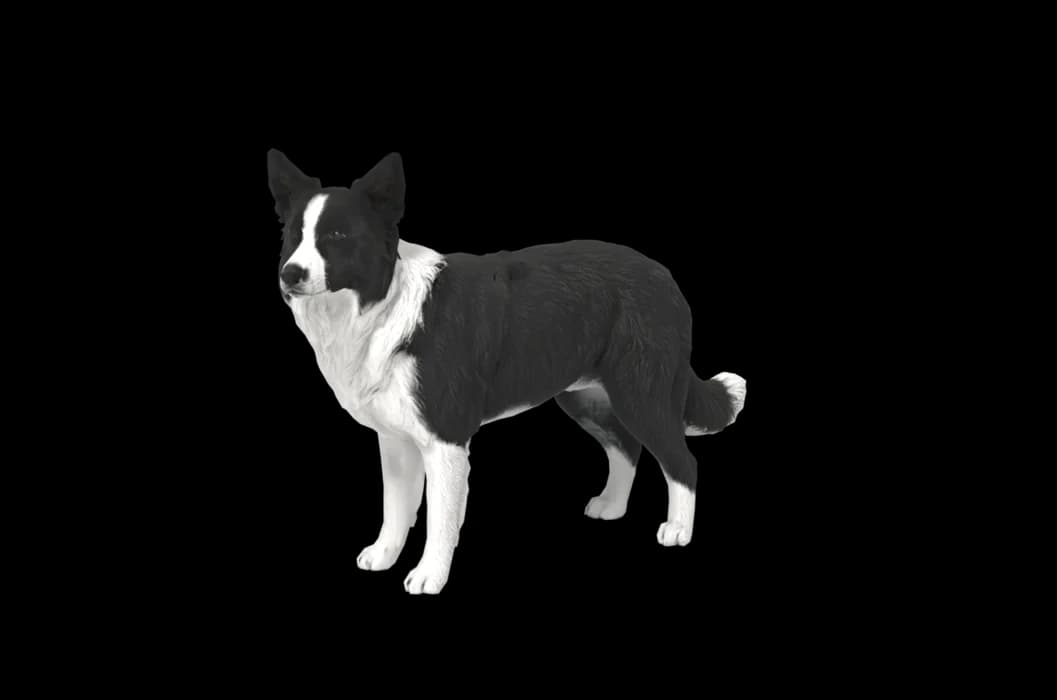
What makes a Siberian Husky look like yours
A husky's face is a map. The white mask, the dark cap, the lines around the eyes and the spot between them vary a great deal from dog to dog, and owners know every one of them.
Then there are the eyes: ice blue, brown, one of each, or a single eye split between two colours. We build your husky from your photos, so the mask and the eyes start from your dog's face and not a generic one.
Made for Siberian Husky markings
The facial mask
Open face, cap and goggles, or a full mask: the pattern is read from your photos, with its lines where they really are.
Blue, brown or both
Husky eyes vary more than almost any other dog's. Take a close, well-lit face photo so the colour of each eye is clear.
Thick double coat
Grey, black, red, agouti or pure white, usually paler on the legs and belly. Those colours come from your pictures.
Upright triangle ears
Set high and close together, often with fur inside that is lighter than the back of the ear.
The sickle tail
A brush that curves up over the back when they are on the move. Photograph it raised if you can.
The best photos of your Siberian Husky
Huskies are easiest to photograph outdoors on a grey day, when the light is soft and the white parts of the coat keep their edges. Stand level with the head for the face photo and wait for them to look at you, so both eyes are open and sharp. A side view shows the mask from another angle and the curl of the tail. In the middle of a heavy shed the coat looks patchy, so pictures from a full-coat season can work better.
More on which photos work, for any cat or dog: how a custom desktop pet is made.
A sample render
Related breed guides: German Shepherd, Shiba Inu and Border Collie. For what your pet does all day, see the desktop pet for Mac.
How it works
Step 1
Add photos
In the Mac app, add a few photos of your cat or dog. A side view and a face are enough to start.
Step 2
See them in 3D, free
In under ten minutes you can turn them around and compare them with your photos. Nothing to pay yet.
Step 3
They move in
Keep them for a one-time price and they live on your desktop: walking the Dock, napping on your windows.
Pricing
Free
See your own pet in 3D before you pay anything.
$19 once
Keep them. No subscription. Up to 3 of your Macs, 2 free regenerations, every behaviour we add later.
14-day money back
If it doesn't look like your pet, you get your money back. No questions asked.
Another pet is $9. All pricing
Questions
Does it work for husky mixes?
Yes, husky and shepherd, husky and malamute, and husky and anything else all work, because the app builds from photos. Mixes often lose the mask or change the ears, and whatever your dog has is what we use.
What if my husky has unusual markings?
A split face, a piebald coat, a dark spot on the nose or a mask on only one side is taken from your photos. Show the mark head-on at least once.
My husky has one blue eye and one brown. Will the model match?
We work from your face photo, so take it close and in good light with both eyes open. Look at the eyes carefully in the free preview; if they are wrong, you can regenerate for free up to twice.
Can I make a white husky?
You can. An all-white dog is a good reason to shoot in shade rather than bright sun, so the shape shows through; everything else works as it does for any coat.
Does a husky move differently from other dogs in the app?
No, every dog shares the same set of movements: walking the Dock, sitting, lying down, stretching and napping on your windows. What makes it your husky is the model itself.
Meet them in 3D
Download the Mac app, add a few photos, and see your pet in 3D before you pay anything.
See your pet in 3D free