Tabby Cat desktop pet
Your Tabby Cat, in 3D, on Your Mac
An M on the forehead, stripes or swirls, and eyeliner that was never applied.
What makes a Tabby Cat look like yours
Tabby is a pattern, not a breed, and it is the most common coat a cat can have. That is exactly why generic tabbies all look alike and yours does not. The M on the forehead, the necklace rings, the line down the spine and the pattern on the flanks are unique to each cat.
Mackerel tabbies have narrow stripes, classic tabbies have swirls like a bullseye, spotted tabbies have broken lines, and ticked tabbies barely look striped at all. Your cat is built from your photos, so their stripes are their stripes.
Made for Tabby Cat markings
The M on the forehead
The mark every tabby shares and none share in the same way. A straight-on face photo shows it.
Stripes, swirls or spots
Mackerel, classic, spotted or ticked patterns are mapped from your photos, not from a tabby template.
Eyeliner and cheek lines
The dark rim around the eyes and the lines running back from them give a tabby its expression.
Ringed tail
Bands down the tail ending in a dark tip. A side photo that includes the whole tail helps.
Brown, silver, ginger or grey
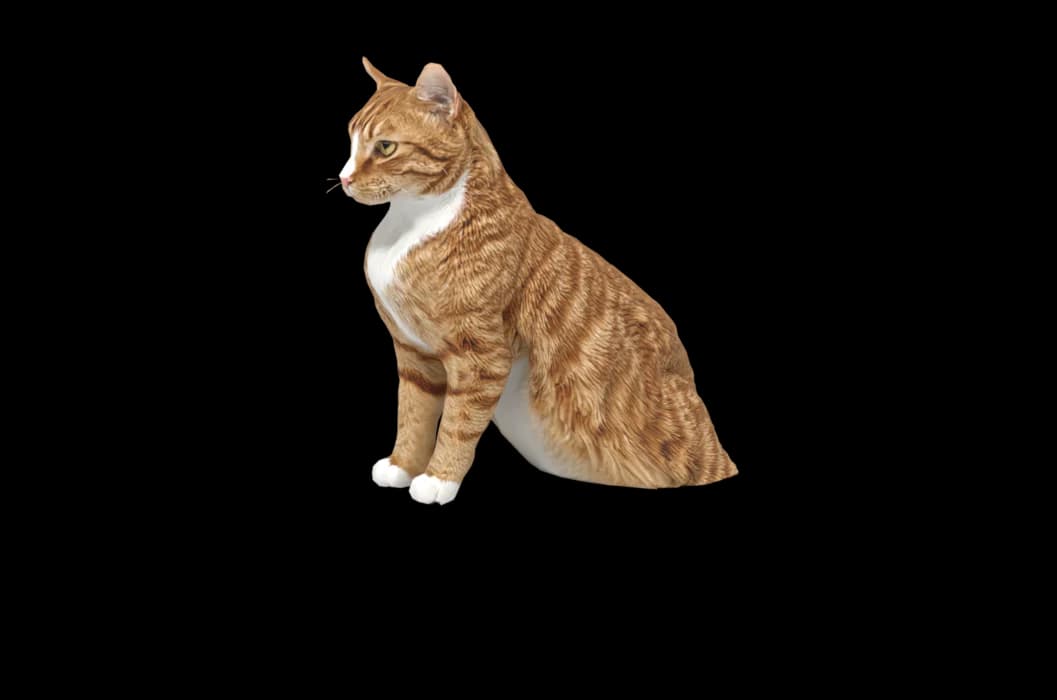
With or without white. Biscuit, shown on this page, is a ginger tabby with white paws.
The best photos of your Tabby Cat
Tabby patterns are finest on the back and sides, so the side photo matters most: catch your cat walking or standing on the floor, with the camera at their height and daylight from a window. Take a second side photo from the other side if the pattern differs. For the face, wait until your cat is calm and looking toward you; the M and the eye lines need to be sharp. Warm lamps turn silver tabbies brown, so stick to daylight.
More on which photos work, for any cat or dog: how a custom desktop pet is made.
A sample render
Related breed guides: Bengal Cat, Maine Coon and British Shorthair. For what your pet does all day, see the desktop pet for Mac.
How it works
Step 1
Add photos
In the Mac app, add a few photos of your cat or dog. A side view and a face are enough to start.
Step 2
See them in 3D, free
In under ten minutes you can turn them around and compare them with your photos. Nothing to pay yet.
Step 3
They move in
Keep them for a one-time price and they live on your desktop: walking the Dock, napping on your windows.
Pricing
Free
See your own pet in 3D before you pay anything.
$19 once
Keep them. No subscription. Up to 3 of your Macs, 2 free regenerations, every behaviour we add later.
14-day money back
If it doesn't look like your pet, you get your money back. No questions asked.
Another pet is $9. All pricing
Questions
Does it work for tabby cat mixes?
Almost every tabby is a mix, and that is fine. Whether your cat is a domestic shorthair, a tabby with long fluffy fur or a tabby and white rescue, the model starts from your photos.
What if my tabby cat has unusual markings?
Broken stripes, a blotch on one side only, a patched tabby or a white bib is taken from your photos. If one side differs from the other, add a picture of each.
Who is Biscuit?
Biscuit is one of the sample pets on this site, a ginger tabby. The 3D model on this page was made from Biscuit's photos.
Will a silver tabby come out grey or brown?
It should match your photos, so take them in daylight with no warm lamps and no filters. You can check the colour in the free preview and regenerate twice if needed.
Meet them in 3D
Download the Mac app, add a few photos, and see your pet in 3D before you pay anything.
See your pet in 3D free