Abyssinian desktop pet
Your Abyssinian, in 3D, on Your Mac
A ticked, glowing coat, large ears and a lean, athletic body.

Ready-made pet
No photos to hand? Meet our Abyssinian
Ours is a ruddy Abyssinian with a slender body and ticked coat, made by the same pipeline as every customer's pet. Choose it in the Mac app and it is on your desktop in seconds, free to try. Keep it for $19, once, give it any name you like, and it does everything a pet made from photos does.
These stills are rendered from its real 3D model, in the poses it uses on your desktop.
Walking
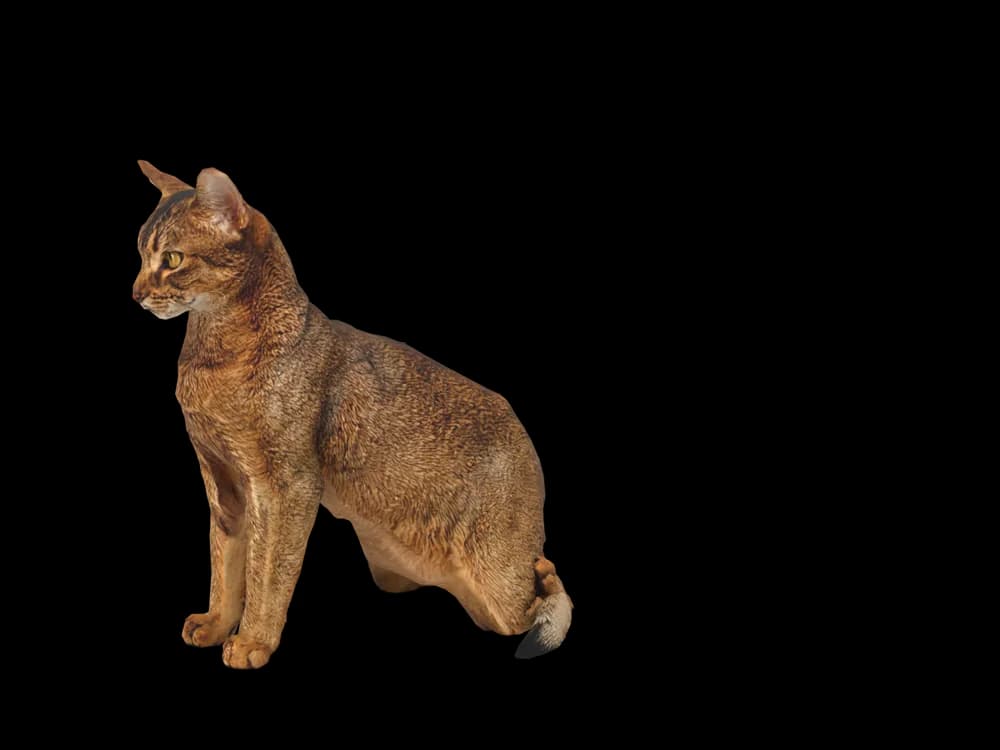
Sitting
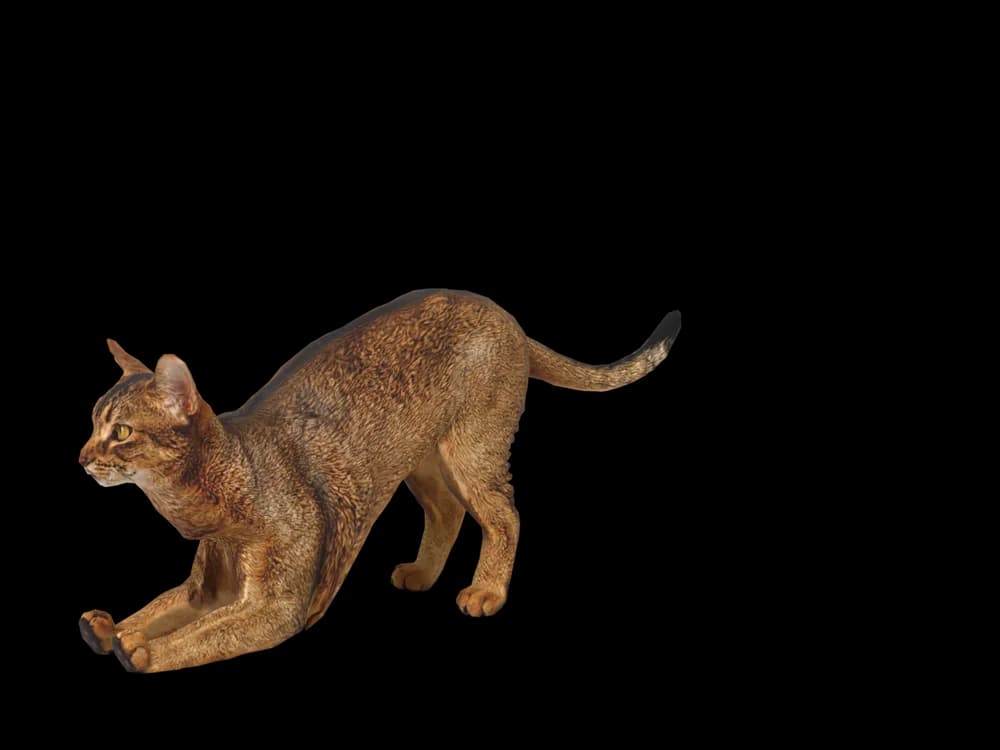
Stretching
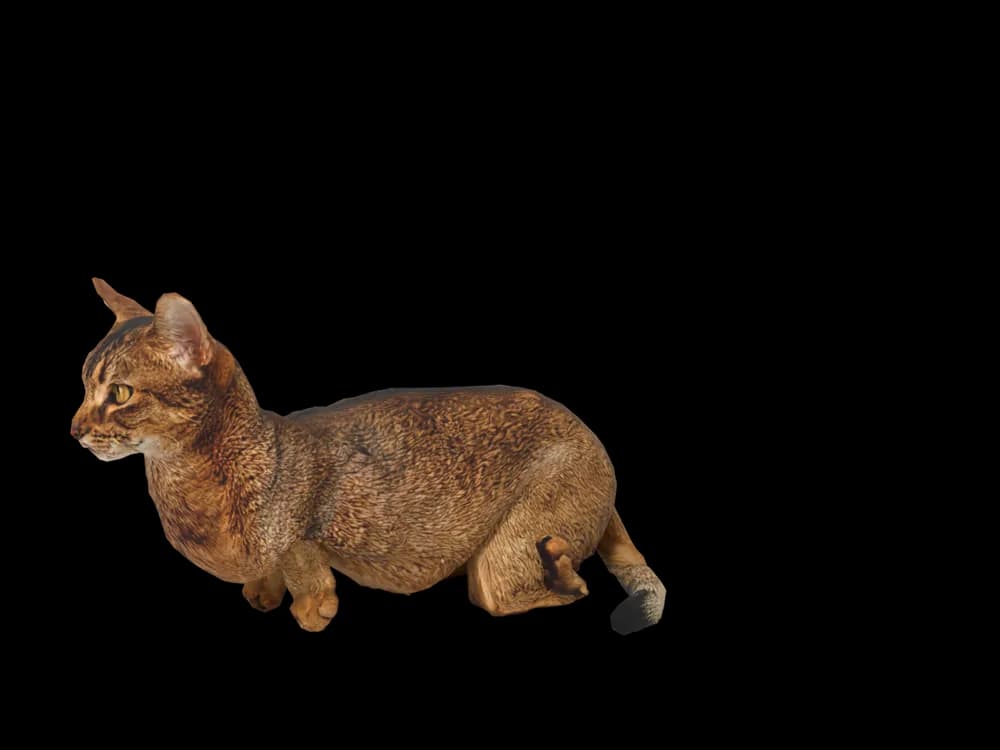
Lying down

Sleeping
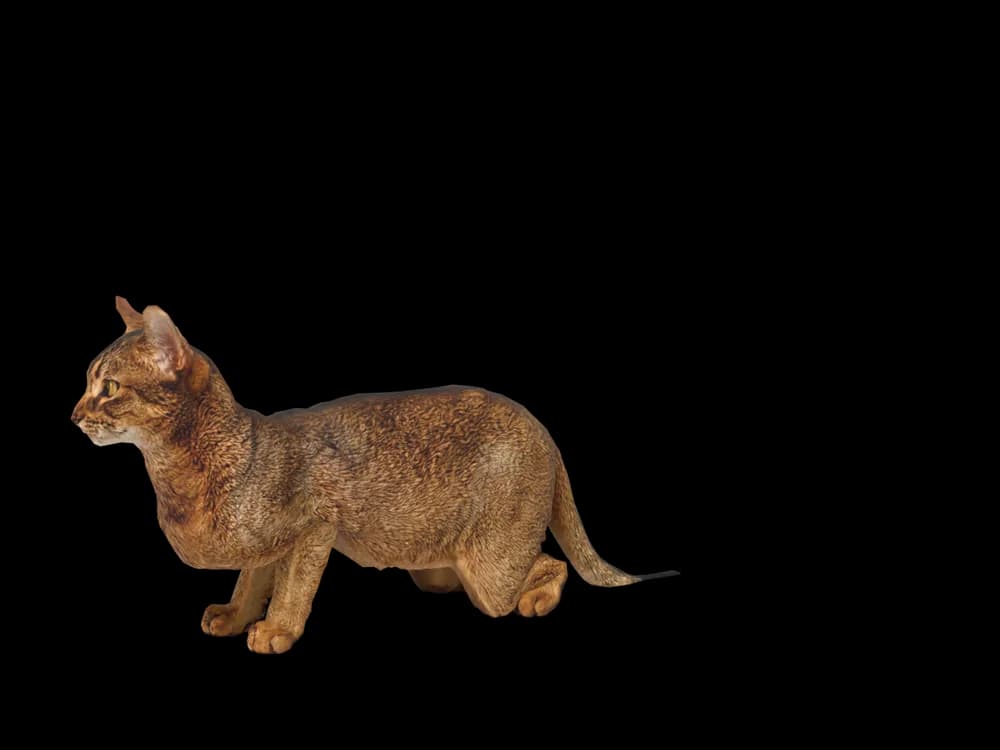
Looking around
In the app: Your pets, then Ready-made pets. Prefer your own cat? Add photos instead, the steps are below.
What makes a Abyssinian look like yours
An Abyssinian looks like a small wild cat: a slender, muscular body, long legs, large alert ears and a coat where every hair is banded, which gives it a warm, shimmering look instead of stripes or spots.
The classic colour is ruddy, but Abyssinians also come in red (sorrel), blue and fawn. A pet made from your photos keeps your cat's colour and markings. Our ready-made Abyssinian is ruddy, with the darker tail tip and the lighter throat.
Made for Abyssinian markings
The ticked coat
Banded hairs that glow warm in the light, with no stripes on the body.
Large, alert ears
Wide at the base and pointed, often with a small tuft.
An almond-eyed face
Gold or green eyes outlined in dark, like eyeliner.
A lean, athletic body
Long legs, an arched back and a long tapering tail.
Ruddy, red, blue or fawn
The colour comes from your photos, including the darker tail tip.
The best photos of your Abyssinian
An Abyssinian's coat changes with the light, so take the photos in soft daylight rather than under a warm lamp. For the side photo, catch your cat standing or walking, which shows the long legs and the arch of the back. Take the face photo close enough to show the eye outline and the ears.
More on which photos work, for any cat or dog: how a custom desktop pet is made.
More breeds
Related breed guides: Bengal Cat, Devon Rex and Siamese Cat. For what your pet does all day, see the desktop pet for Mac.
How it works
Step 1
Add photos
In the Mac app, add a few photos of your cat or dog. A side view and a face are enough to start.
Step 2
See them in 3D, free
In under ten minutes you can turn them around and compare them with your photos. Nothing to pay yet.
Step 3
They move in
Keep them for a one-time price and they live on your desktop: walking the Dock, napping on your windows.
Pricing
Free
See your own pet in 3D before you pay anything.
$19 once
Keep them. No subscription. Up to 3 of your Macs, 2 free regenerations, every behaviour we add later.
14-day money back
If it doesn't look like your pet, you get your money back. No questions asked.
Another pet is $9. All pricing
Questions
Does it work for Abyssinian mixes?
Somalis, the long-haired Aby, and Aby crosses are all built from their own photos.
What if my Abyssinian has unusual markings?
A lighter chin, a darker spine line or a barred leg come from your pictures.
How do I get the ticked coat to show?
Photograph in soft daylight. Warm lamps flatten the banding into a single colour.
My Aby never sits still. How do I get a sharp photo?
Use burst mode and pick the sharpest shot. You only need one side view and one face.
Red, blue or fawn: are other colours fine?
Every Abyssinian colour works, since the coat is read from your photos.
Meet them in 3D
Download the Mac app, add a few photos, and see your pet in 3D before you pay anything.
See your pet in 3D free