French Bulldog desktop pet
Your French Bulldog, in 3D, on Your Mac
Bat ears, a flat face and a compact, muscular little body.

Ready-made pet
No photos to hand? Meet our French Bulldog
Ours is a fawn French Bulldog with bat ears, made by the same pipeline as every customer's pet. Choose it in the Mac app and it is on your desktop in seconds, free to try. Keep it for $19, once, give it any name you like, and it does everything a pet made from photos does.
These stills are rendered from its real 3D model, in the poses it uses on your desktop.
Walking
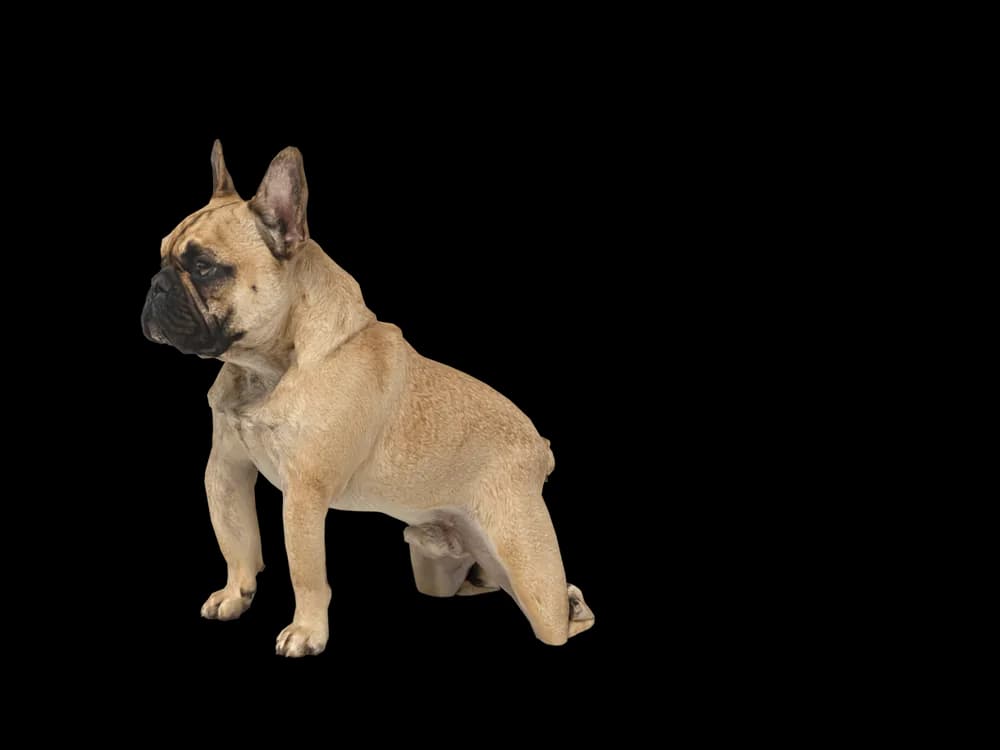
Sitting
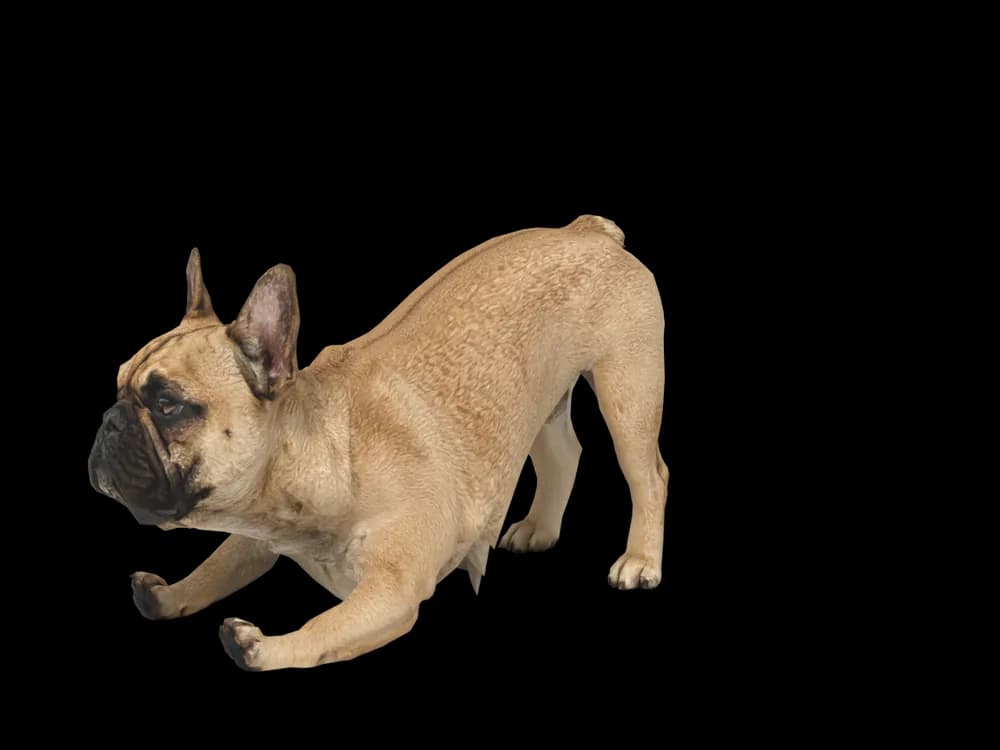
Stretching
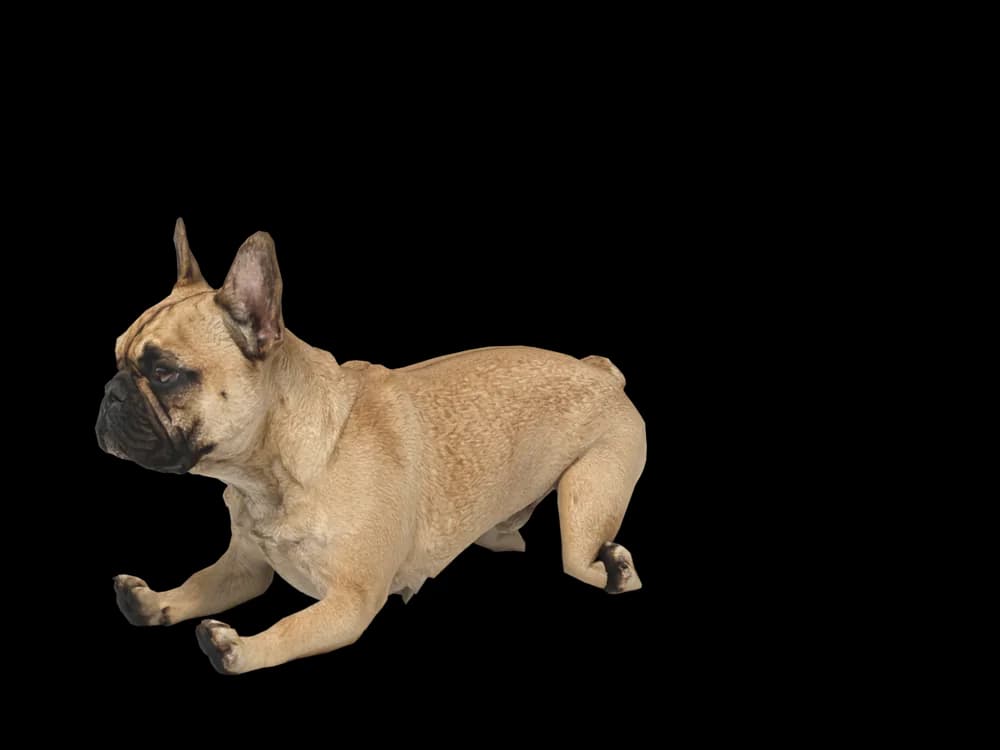
Lying down

Sleeping
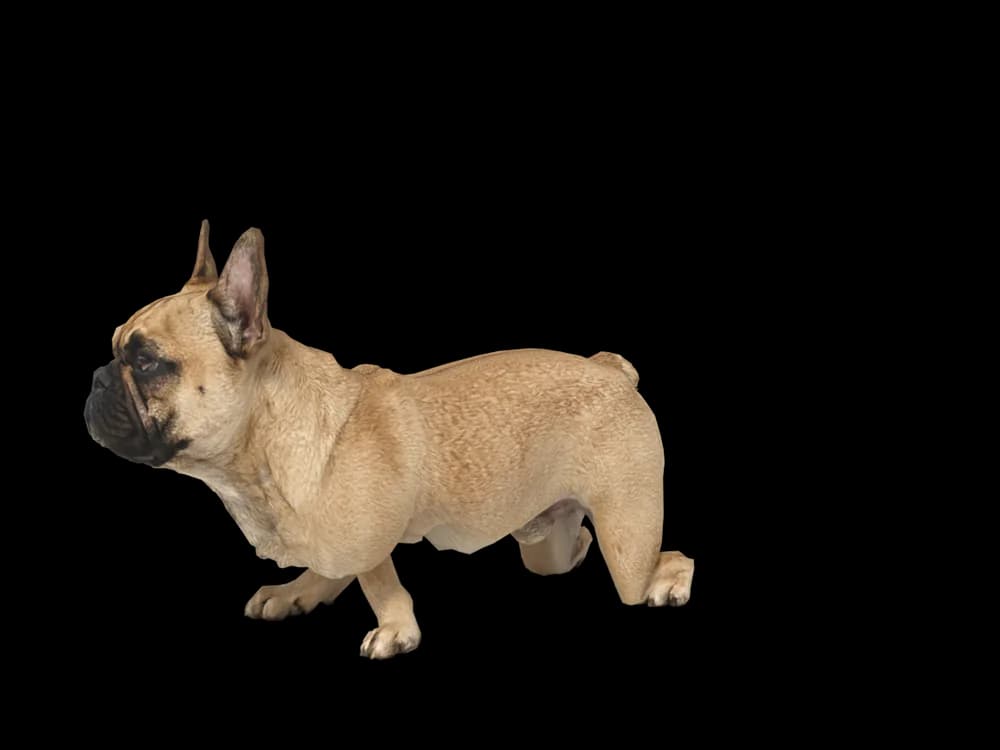
Looking around
In the app: Your pets, then Ready-made pets. Prefer your own dog? Add photos instead, the steps are below.
What makes a French Bulldog look like yours
A French Bulldog is all silhouette: two tall bat ears, a short flat muzzle, a wide chest and almost no tail. Even at desktop size you know a Frenchie from across the room.
Frenchies come in fawn, cream, brindle and pied, often with a dark mask or a white bib. Make yours from your photos and the colour, the mask and the exact set of the ears come from them. Or start with our ready-made fawn Frenchie and give it a name.
Made for French Bulldog markings
Bat ears
Tall, rounded and upright. How far apart they sit and how much they lean is different on every dog, and it comes from the face photo.
The flat face
A short nose, deep wrinkles over it and a slightly undershot jaw. A close, straight-on photo gets the proportions right.
A compact, heavy build
Wide chest, short legs and a surprising amount of muscle. A side photo standing square shows the shape best.
Brindle, fawn or pied
Brindle stripes, a fawn coat or white patches are taken from your photos, dark mask included.
The screw tail
Short and tucked, or barely there. Your Frenchie keeps the one they have.
The best photos of your French Bulldog
Frenchies are low to the ground, so crouch down to their eye level for both photos. A side view standing on all four legs shows the chest and the short back; a face photo straight on shows the ears and the muzzle. Use daylight: brindle and dark masks go muddy under a warm lamp, and a flash hides the wrinkles.
More on which photos work, for any cat or dog: how a custom desktop pet is made.
More breeds
Related breed guides: Pug, Beagle and Chihuahua. For what your pet does all day, see the desktop pet for Mac.
How it works
Step 1
Add photos
In the Mac app, add a few photos of your cat or dog. A side view and a face are enough to start.
Step 2
See them in 3D, free
In under ten minutes you can turn them around and compare them with your photos. Nothing to pay yet.
Step 3
They move in
Keep them for a one-time price and they live on your desktop: walking the Dock, napping on your windows.
Pricing
Free
See your own pet in 3D before you pay anything.
$19 once
Keep them. No subscription. Up to 3 of your Macs, 2 free regenerations, every behaviour we add later.
14-day money back
If it doesn't look like your pet, you get your money back. No questions asked.
Another pet is $9. All pricing
Questions
Does it work for French Bulldog mixes?
It does: Frenchtons, Frug crosses and every other mix are built from their own photos rather than a template.
What if my French Bulldog has unusual markings?
Pied patches, a white bib or a half mask come from your photos. Show the marking clearly in daylight.
My Frenchie is brindle. Will the stripes come through?
Brindle comes from the pictures, so choose ones where the stripes are sharp. The preview shows you before you pay, and two regenerations are free.
How do I get the bat ears right?
Take the face photo while the ears are up, close and at eye level. Their angle and spacing are read from it.
Can the ready-made Frenchie be renamed?
Rename it the moment you pick it. Plenty of people call theirs after a Frenchie they grew up with.
Meet them in 3D
Download the Mac app, add a few photos, and see your pet in 3D before you pay anything.
See your pet in 3D free